HybridHalo
Minecraft Server
Welcome, traveller
Checking…
📡 Server Address
mcs.hybridhalo.com
Java Edition • Minecraft 1.21.1 • NeoForge
Will need this modpack: HybridHalo's Public Server + Shaders — see the Getting Started section below for install instructions.
🖥 Other Servers
mcc.hybridhalo.com
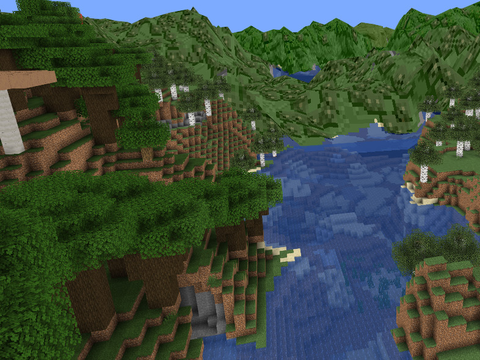
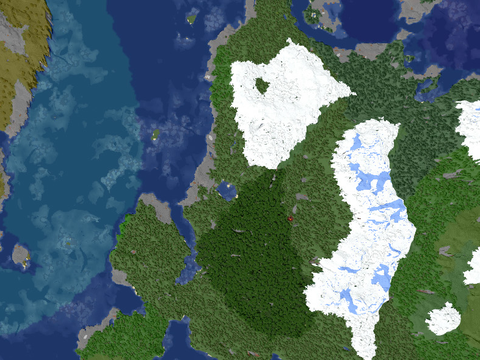
🗺 World Maps

🧱 Mods
Create & Addons
- Create — the main event
- Create: Aeronautics — build and fly airships
- Create: Ore Excavation — drill out veins automatically
- Slice & Dice — Create × Farmer's Delight integration
Terrain Gen & Structures
- Terralith — completely overhauled terrain generation (server-side)
- Dungeons and Towers & Towns and Taverns — structures scattered across the world (server-side)
- Quark & Quark Oddities — vanilla+ tweaks and world additions
- Ribbits — frogs that actually do stuff
- Tree Physics — trees fall when chopped
- Particle Rain — improved weather effects
Food & Cooking
- Farmer's Delight — expanded farming and cooking
- Cooking for Blockheads — kitchen blocks for convenient cooking
Building & Decoration
- Chisel — dozens of decorative block variants
- Cosmos Portals — custom-shaped, customisable portals
- Armor Hider — toggle armor visibility without removing it
Storage & Inventory
- Sophisticated Backpacks — craftable, upgradeable backpacks
Maps, Waypoints & Navigation
- Xaero's Minimap & World Map
- Waystones — fast travel between named waypoints
- Ping Wheel — ping locations and entities for your team
HUD & Info
- Jade — shows what you're looking at and its info
- Just Enough Items (JEI) — browse and search all crafting recipes
- Forgematica — load schematics and build from blueprints
Audio & Social
- Simple Voice Chat — proximity voice chat (press V to set up)
- Sound Physics Remastered — realistic audio reflections and reverb
- MuSync — syncs music playback with other players
- Simple Radio — in-game radio to share audio streams
Performance & Visuals
- Sodium — major FPS improvements
- Iris & Complementary Shaders — Reimagined — included and ready to enable
- Distant Horizons — extreme render distances via LOD chunks
📖 Getting Started
- Download and install Prism Launcher.
- Download the modpack:
- In Prism Launcher, click Add Instance → Import and select the downloaded
.mrpackfile — or just drag and drop the mrpack file into Prism Launcher. - Launch the instance, then add the server address mcs.hybridhalo.com and connect.
- When the AutoModpack certificate dialogue appears, confirm by clicking I accept the risk. AutoModpack will then download the rest of the mods from the server — once it finishes, restart the game when prompted and reconnect.
- Once you're in, head to video settings to enable the shaders.
✅ Things to check after you've installed for the best experience
- Enable shaders — in-game, go to Options → Video Settings → Shader Packs. Select ComplementaryReimagined from the list and click Apply.
- Enable Distant Horizons — go to Options → Video Settings → Distant Horizons. Make sure it's enabled, then set your desired LOD render distance. The world will slowly fill in the further chunks as you play.
- Set up voice chat — press V to open the Simple Voice Chat menu. Run through the audio wizard to select your microphone and output device, then you're good to go. Other players nearby will be able to hear you.